
By Brad Greiner, Founder of Gigasoft Computers Posted August 21st 2026
10 Things Every Small Business Website Should Have in 2026
Having a website for your business isn’t enough anymore. I’ve worked on business websites ranging from relatively simple informational sites to larger websites with multiple services, contact forms, galleries and other features, and one thing I’ve learned is that a website needs to do more than simply look good. It needs to make it easy for potential customers to understand what the business does, find the information they’re looking for, trust the company and ultimately take the next step—whether that’s calling, sending an email, requesting a quote or visiting the business.
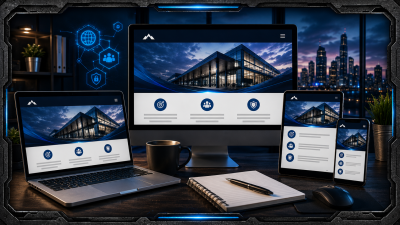
For many potential customers, your website may be their first real interaction with your company. Someone may find you through Google, see your name on social media, receive a recommendation from a friend or notice your advertising and then visit your website before contacting you. If they arrive at a website that’s difficult to navigate, doesn’t work properly on their phone or hasn’t been updated in years, that can affect their impression of the business itself. A professional website should essentially act as a digital extension of your business, and there are several things I believe every small business website should have in 2026.
1. A Mobile-Friendly Design
One of the first things I consider when working on a website is how it’s going to look on different screen sizes. A website might look excellent on a large desktop monitor but become almost unusable when someone opens it on a smartphone. Text can become too small, buttons may be difficult to tap, menus can stop working properly and images designed for a large screen can completely overwhelm a mobile layout.
A responsive website automatically adapts its layout depending on the device being used. That doesn’t mean the mobile version has to look exactly like the desktop version. In fact, sometimes rearranging or simplifying certain elements creates a much better experience on a smaller screen. The important thing is that customers shouldn’t have to zoom in, scroll sideways or fight with the website just to find your phone number. With so many people searching for businesses from their phones, mobile design should be treated as a core part of the website rather than an optional extra.
2. A Clear Explanation of What Your Business Does
This sounds incredibly obvious, but you’d be surprised how many websites make visitors work to figure out exactly what the company offers. A beautiful homepage filled with impressive images doesn’t accomplish much if someone lands on it and still doesn’t know what the business actually does.
I like a website to answer the visitor’s most important questions quickly: What does this company do? Who do they help? Where are they located? How do I contact them? From there, the website can provide more detailed information for customers who want it. Service pages are particularly useful because they allow a business to explain individual products or services in much more detail than would be practical on the homepage. They can also help search engines understand what the business offers, which can contribute to better visibility when people search for those services.
3. Easy-to-Find Contact Information
If someone has decided they’re interested in your business, contacting you shouldn’t turn into a scavenger hunt. Your phone number, email address or contact form should be easy to find, and I generally like having more than one way for customers to reach a business.
A dedicated Contact page is important, but I don’t believe contact information should exist only on that page. Depending on the design, it can also make sense to have a phone number in the header, contact information in the footer and buttons throughout the website that direct people toward the appropriate contact method. If the business has a physical location, the website should provide the address and potentially a map as well. The fewer obstacles you put between an interested visitor and contacting your business, the better.
4. Strong Calls to Action
A good website shouldn’t leave visitors wondering what they’re supposed to do next. That’s where calls to action come in. These can be buttons or links such as Call Now, Request a Quote, Book an Appointment, Contact Us, Learn More or whatever action makes sense for the particular business.
The important part is that calls to action should feel natural rather than overwhelming. I don’t think every paragraph needs a giant flashing button demanding that someone buy something. Instead, the website should guide visitors through the information they’re looking for and make the next step obvious when they’re ready to take it. Someone reading about a particular service, for example, should have an easy way to contact the business about that service without having to return to the homepage and start searching again.
5. SSL and Proper Website Security
When you visit a modern website, you should see HTTPS rather than HTTP in the address. The SSL certificate behind that connection encrypts information exchanged between the visitor and the website, helping protect information entered into contact forms and other areas of the site.
Security goes much further than installing an SSL certificate, though. Websites need software updates, secure passwords, backups and ongoing maintenance. WordPress websites in particular rely on themes and plugins that need to be kept current. Ignoring updates indefinitely can create security vulnerabilities or eventually cause compatibility problems.
No website can be guaranteed completely immune from every possible security threat, but keeping the software maintained and following good security practices can significantly reduce unnecessary risk.
6. Fast Loading Speed
People don’t like waiting for websites. If someone clicks your site and spends several seconds staring at a blank screen or watching images slowly appear, there’s a good chance they’ll simply leave and try another result.
Website speed can be affected by many different things, including hosting quality, oversized images, unnecessary plugins, poorly optimized code and external services. One of the most common problems I see is extremely large images being uploaded directly from a camera or phone when the website only needs a fraction of that resolution. Properly sizing and optimizing those images can reduce how much data the visitor needs to download without noticeably reducing image quality.
A fast website feels more professional, works better on slower connections and creates a much better overall experience for visitors.
7. Search Engine Optimization
Building a great website doesn’t help very much if nobody can find it.
Search engine optimization, or SEO, helps search engines understand what individual pages are about and which searches they may be relevant to. This includes properly written page titles, headings, descriptions, content, image information, internal links and other technical elements behind the website.
For a local business, location information can also be extremely important. A business serving Medicine Hat and surrounding communities, for example, generally wants search engines to understand both what services it provides and where those services are available.
SEO isn’t a magic switch that instantly puts a website at the top of Google. It’s an ongoing process, and competition varies considerably depending on the industry. However, building a website with search visibility in mind from the beginning gives it a much stronger foundation than trying to add SEO as an afterthought.
8. A Professional Domain and Business Email
Your domain name is part of your business identity online. Ideally, it should be easy to remember, closely connected to your business name and simple enough that customers can type it without confusion.
I also recommend using professional email addresses connected to the business domain. An address such as sales@yourbusiness.ca or contact@yourbusiness.com generally looks much more professional than conducting business through an unrelated personal email address.
It also creates consistency. Your website, email and business name all reinforce the same brand, and the company maintains better control over employee email addresses as staff changes.
9. Simple, Logical Navigation
Website navigation is one area where I generally believe simpler is better. Visitors shouldn’t need to understand your organizational structure to figure out where information is located.
A typical small business website may only need primary sections such as Home, About, Services and Contact, with additional pages organized logically underneath them. Larger websites can obviously require more complicated navigation, but the same principle applies: someone visiting for the first time should be able to understand where they’re going.
I also try to avoid overwhelming visitors with unnecessary menu choices. Giving someone twenty options at once doesn’t necessarily make a website more useful. Sometimes it just makes the important information harder to find.
10. Regular Updates and Maintenance
A website isn’t something I recommend building and then forgetting about for the next ten years. Businesses change, services change, employees change and the technology powering the website changes as well.
Content should be reviewed periodically to make sure phone numbers, business hours, services, pricing where applicable and other important information are still accurate. Behind the scenes, the website software should also be maintained. Plugins, themes and content management systems receive updates that can address security issues, compatibility problems and bugs.
Backups are another important part of maintenance. If something goes wrong during an update or a website becomes damaged, having a recent backup can make the difference between restoring the site relatively quickly and rebuilding large portions of it from scratch.
Your Website Should Actually Work for Your Business
One of the biggest mistakes I think businesses make is viewing their website as nothing more than an online business card. A website can certainly provide basic information, but it can do much more than that.
A good website works for your business 24 hours a day. It can explain services while you’re closed, answer common customer questions, showcase previous work, provide directions, collect inquiries and help potential customers decide whether your company is the right fit before they ever contact you.
That doesn’t mean every business needs a massive website with hundreds of pages and complicated features. In many cases, a smaller website that’s well designed, easy to navigate and filled with useful information will outperform a much larger website that confuses visitors.
The website should fit the business rather than forcing the business to fit the website.
What About Social Media?
I occasionally hear businesses question whether they still need a website because they already have a Facebook page or another social media account. I think social media can be extremely valuable, but I don’t consider it a replacement for a business website.
Your website is a space specifically dedicated to your business. You control how your information is organized, how services are presented and where visitors are directed. Social platforms control their own layouts, algorithms and features, and those things can change at any time.
I prefer looking at the two as complementary. Social media can help businesses communicate with customers and reach new audiences, while the website provides a permanent central location where people can learn more about the company.
Final Thoughts
A professional small business website doesn’t need to be complicated, but it does need to accomplish its purpose. It should work properly on phones and computers, clearly explain what the business does, make contact information easy to find, load quickly, remain secure and provide visitors with a clear path toward becoming customers.
I’ve worked on enough websites to know that adding more features doesn’t automatically make a website better. Sometimes simplifying a confusing layout, rewriting unclear information or improving mobile usability provides more value than adding another flashy feature.
The most important question I think a business owner can ask is simple: If I had never heard of my company before and landed on this website today, would it give me enough confidence and information to contact the business?
If the answer is no, it may be time to take another look at your website.
About the Author:
Brad Greiner is the owner of Gigasoft Computers in Medicine Hat, Alberta, where he specializes in computer repair, custom gaming PCs, website design, and technology solutions for homes and businesses. A lifelong PC gamer and independent game developer, Brad has spent over 4,000 hours playing The Elder Scrolls V: Skyrim, created the Canadian Civil War Skyrim mod, and is currently developing his own open-world RPG, Rise to Glory, in Unreal Engine 5. Through the Gigasoft Computers blog, he shares honest reviews, practical tech advice, and real-world experience from the worlds of technology and game development.